How to Use AI for Proposal Writing: Strategies, Steps, and Challenges
A practical guide to using AI for proposal writing: how it works, a 5-step rollout, and how to keep AI-generated proposals accurate.
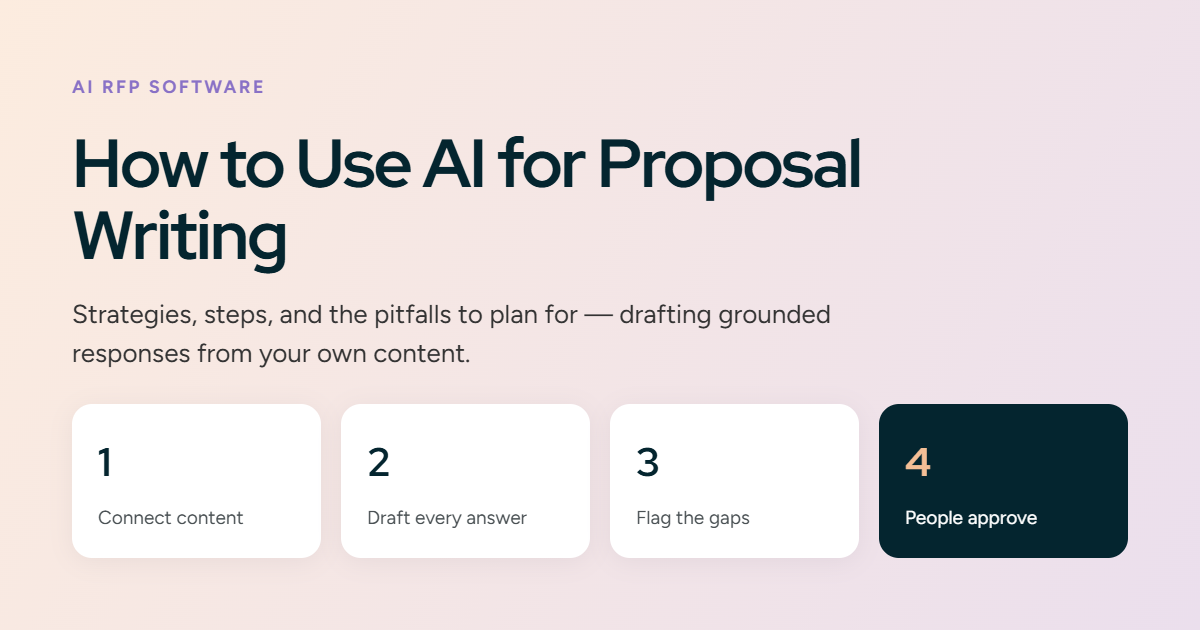
Proposal responses take up too much of your team's time. Content sits scattered across drives and old files, the same answers get rewritten for every bid, and tight deadlines turn each response into a rush. The result: deals slip to competitors who reply faster, and your best people spend hours formatting documents instead of working on strategy and clients.
AI removes most of that manual work. Teams using AI tools have seen up to 66% productivity gains on knowledge tasks. For proposals, that means writing responses in hours instead of weeks, with more consistency across sections. Your team spends less time drafting every answer and more time reviewing the ones that matter. To see where those gains come from, start with what AI proposal writing actually means.
TL;DR
- AI connects to your content, drafts a first answer for every question in a questionnaire, tailors it to the client, and flags weak or missing answers before review.
- Start by consolidating your best-won responses and current source content into one connected library; the AI can only reuse what you give it.
- Keep a human in the loop: assign named reviewers to check accuracy, completeness, and positioning before anything goes to a client.
- Choose a platform that connects your knowledge sources, drafts with context, flags outdated or conflicting content, and supports team review, not just file storage.
What is AI proposal writing?
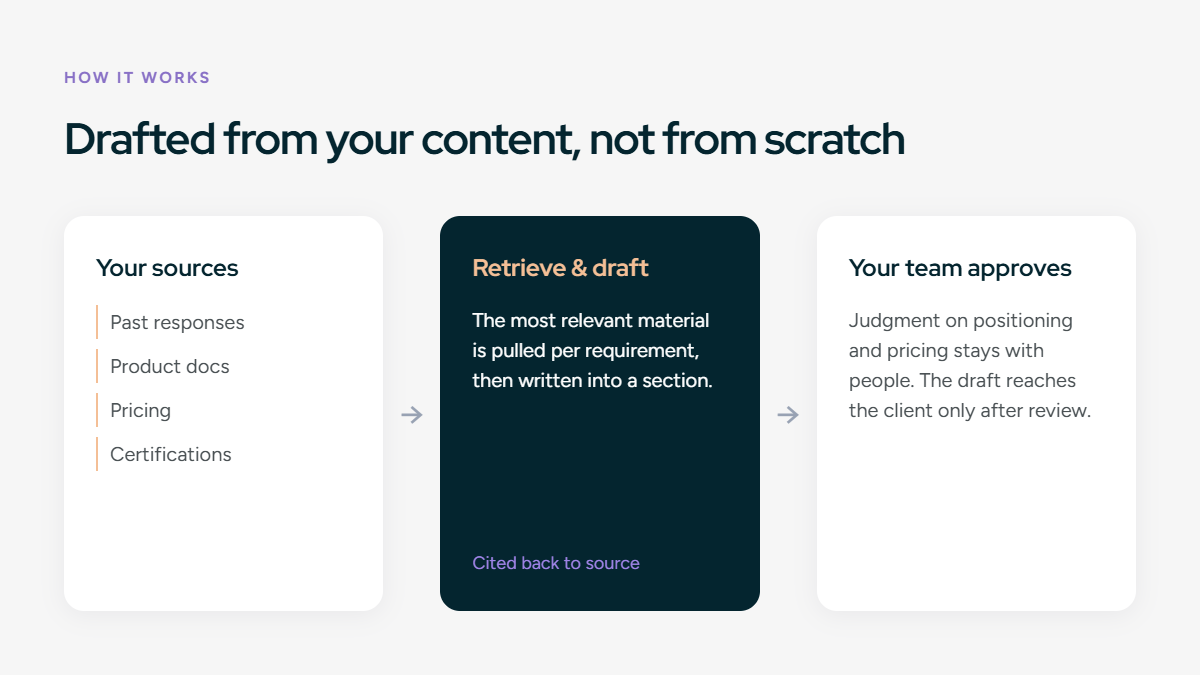
AI proposal writing uses generative AI to draft proposal responses from your own content. The tool connects to your past responses, documents, and pricing, retrieves the most relevant material for each requirement, and drafts a section from it, rather than generating responses from scratch or inventing details. Your team then reviews and approves the draft before it reaches the client, so judgment calls on positioning and pricing strategy stay with people, while the AI removes the manual research, drafting, and formatting.
Traditional vs. AI-native proposal writing
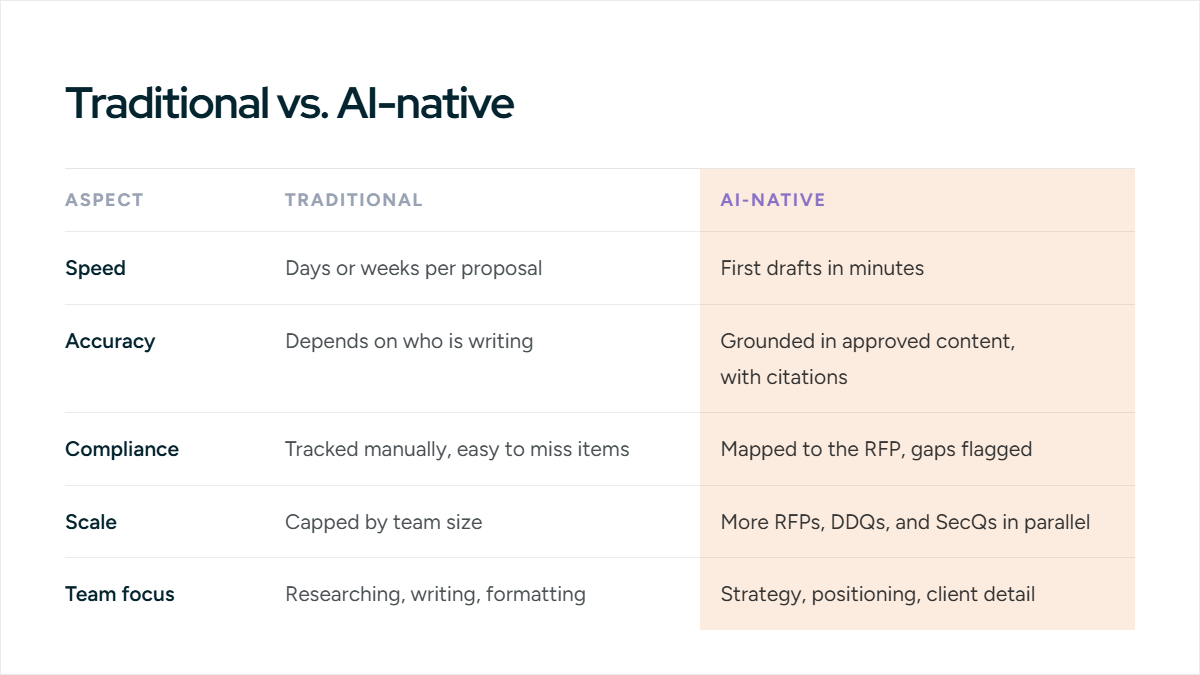
Now that you know how traditional and AI-assisted processes compare, let’s look at the particular advantages of using AI in the proposal response process.
What are the benefits of using AI for proposal writing?
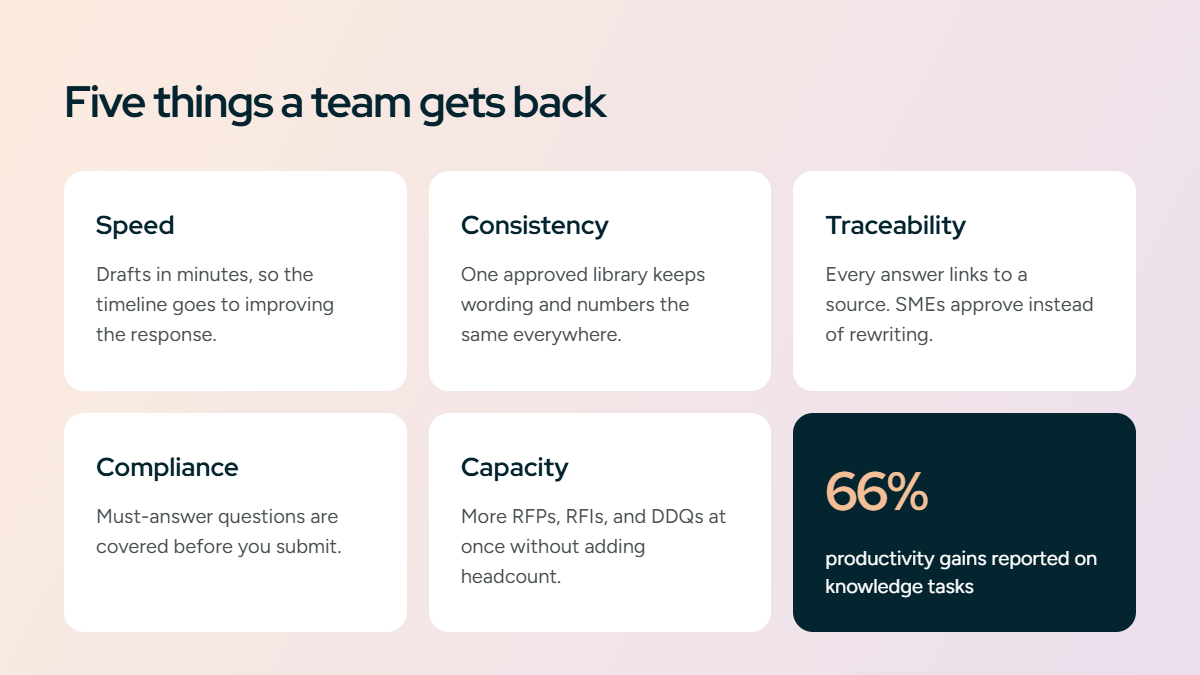
AI takes over the slowest part of a response: finding the right content and writing the first draft. That frees your team to spend time on the work that actually wins deals: win themes, pricing, and review.
Every proposal team faces the same trade-off: handle more proposals, or make each one better. You rarely get both. SMEs get pulled in to rewrite the same answers. Tight deadlines cut into review time. Winnable deals get skipped because no one has capacity. AI eases all four:
- Speed — Drafts are ready in minutes, so more of your timeline goes to improving the response instead of assembling it.
- Consistency — Every answer comes from one approved content library, so your wording, positioning, and numbers stay the same across the whole proposal — no matter how many people contribute.
- Traceability — Each answer links back to its source. SMEs approve content instead of rewriting it, and reviewers can see where every claim came from.
- Compliance — The draft is checked against the RFP's requirements, so must-answer questions are covered before you submit — not caught at the last minute.
- Capacity — Your team can handle more RFPs, RFIs, and DDQs at once without adding headcount, so you can be selective about which deals to pursue.
How AI automates the proposal process
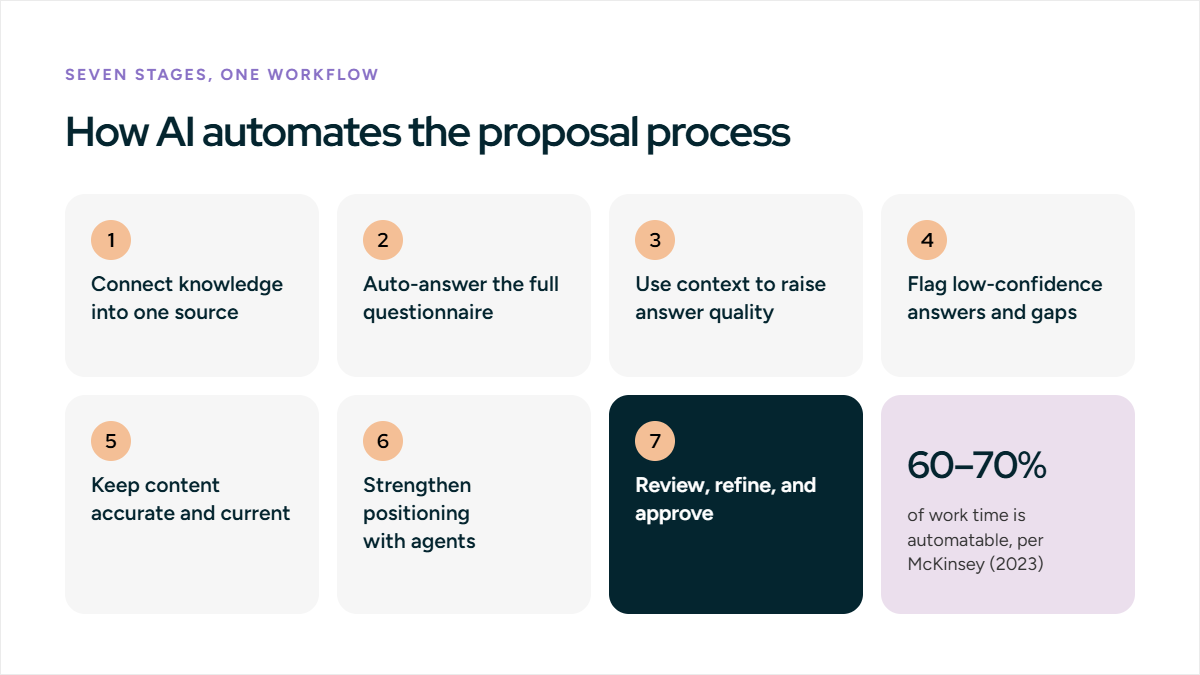
Research from McKinsey (2023) estimates that generative AI could automate activities that absorb 60–70% of the time employees spend at work today. Below is how AI can automate each part of the proposal response process, with examples and prompt templates you can start using today.
1. Connect your knowledge into one source
In most teams, answers are spread across drives, emails, and old proposals, so people rewrite content that already exists. AI-native platforms sync directly with Google Drive, SharePoint, Notion, and Confluence, and accept uploads and question-answer pairs, so every response draws from one library that updates as your source systems change.
Outcome: one current source of truth, no copy-paste between systems, answers based on your latest approved content.
2. Auto-answer the full questionnaire
The platform reads the entire RFP, RFI, DDQ, or security questionnaire and generates an answer for every question at once, pulling from your connected library. Your team starts from a complete first pass instead of a blank document.
Outcome: first-pass answers to a full questionnaire in a fraction of the time, consistent wording across sections, more schedule spent on review than assembly.
Prompt template: "Answer every question in this questionnaire using our approved content. Keep our standard wording and list anything the content does not cover."
3. Use context to raise answer quality
A context engine reads each question and the client's situation, then adapts the retrieved content to match, so the same security question gets enterprise-level depth for one buyer and a lighter answer for an early-stage one.
Outcome: answers matched to each question and buyer, less manual rewriting, responses that read as written for that client.
Prompt template: "Rewrite this answer for [CLIENT] in [INDUSTRY], adjusting technical depth and examples to fit their environment."
4. Flag low-confidence answers and gaps
The platform scores each answer by confidence in its source content and flags the weak or unanswered ones, so reviewers go straight to what needs a human decision instead of re-reading every response.
Outcome: review focused where it matters, fewer gaps reaching the client, faster path from draft to finished response.
5. Keep content accurate and current
Old pricing, expired certifications, and contradictory answers are the main risks in a content library. A content governance capability scans your connected sources and flags content that is outdated or conflicting, so the library stays reliable without a manual audit.
Outcome: fewer stale or contradictory answers in a response, less manual upkeep, source content the team can trust.
6. Strengthen positioning with agents
AI agents research the buyer's likely alternatives, refine the drafted answers, and sharpen how your strengths are framed, so differentiators appear in the response itself rather than only in a sales deck.
Outcome: clearer differentiation, stronger positioning against known competitors, less time preparing competitive angles by hand.
Prompt template: "Given this opportunity and likely competitors [NAMES], suggest positioning and refinements that emphasize our strengths against their gaps."
7. Review, refine, and approve
AI produces the draft; people decide what ships. Teams work through the flagged answers, edit in a shared workspace on the current version, and approve the final content before it reaches the client.
Outcome: verified final content, clear ownership of each section, no version conflicts across contributors.
These stages work as one workflow, not in isolation. If you are comparing platforms, see our guide to the best AI tools for proposal writing for selection criteria.
Common challenges and how to avoid them
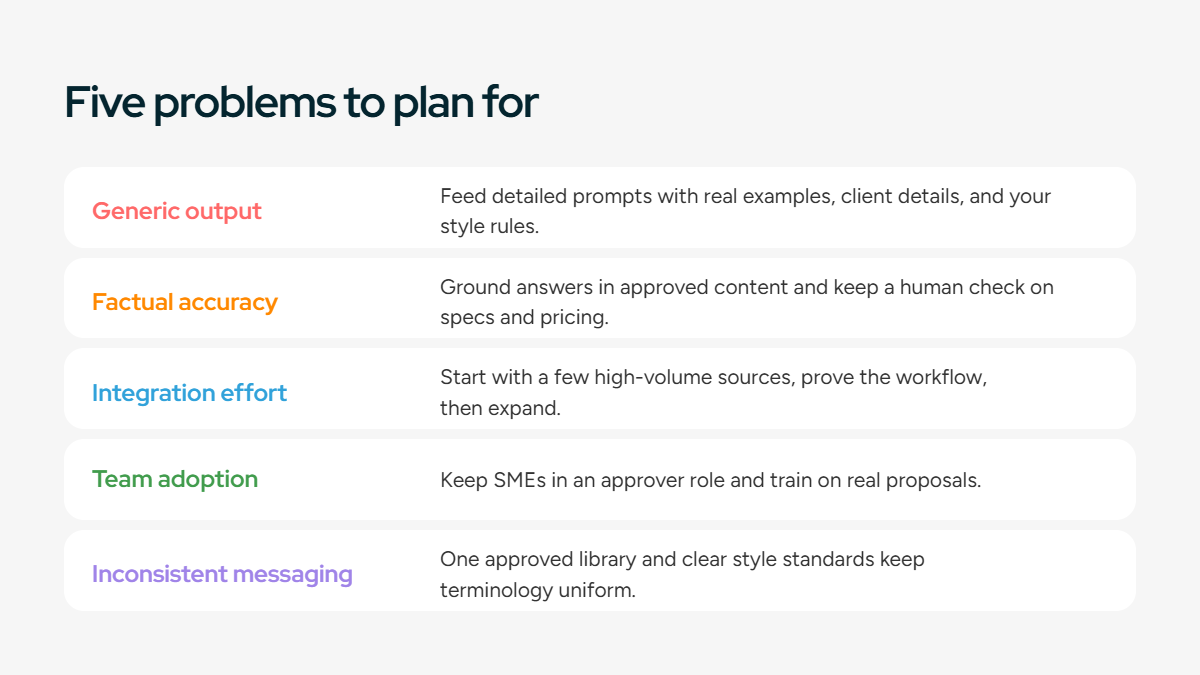
AI does not produce submission-ready responses on its own. A few problems show up early and slow adoption if you don't plan for them:
- Generic output: Without enough context, AI returns bland, interchangeable answers. Feed it detailed prompts with real examples, client details, and your style rules so drafts sound like your team, not a template.
- Factual accuracy: AI can pull outdated figures or assume technical details it cannot confirm. Ground answers in your approved content, and keep a human review step that checks specs and pricing against current documentation before submission.
- Integration effort: Connecting AI to your existing systems takes setup. Start with a few high-volume content sources, prove the workflow, then expand access as the team gets comfortable.
- Team adoption: People worry AI will replace their expertise. Position it as a tool that removes repetitive drafting and keeps SMEs in an approver role, and train on real proposals so the value is obvious.
- Inconsistent messaging: Separate AI drafts can contradict each other across sections. Maintain one approved content library and clear style standards the AI draws from, so terminology and positioning stay uniform.
How to integrate AI into your proposal writing process (5 Steps)
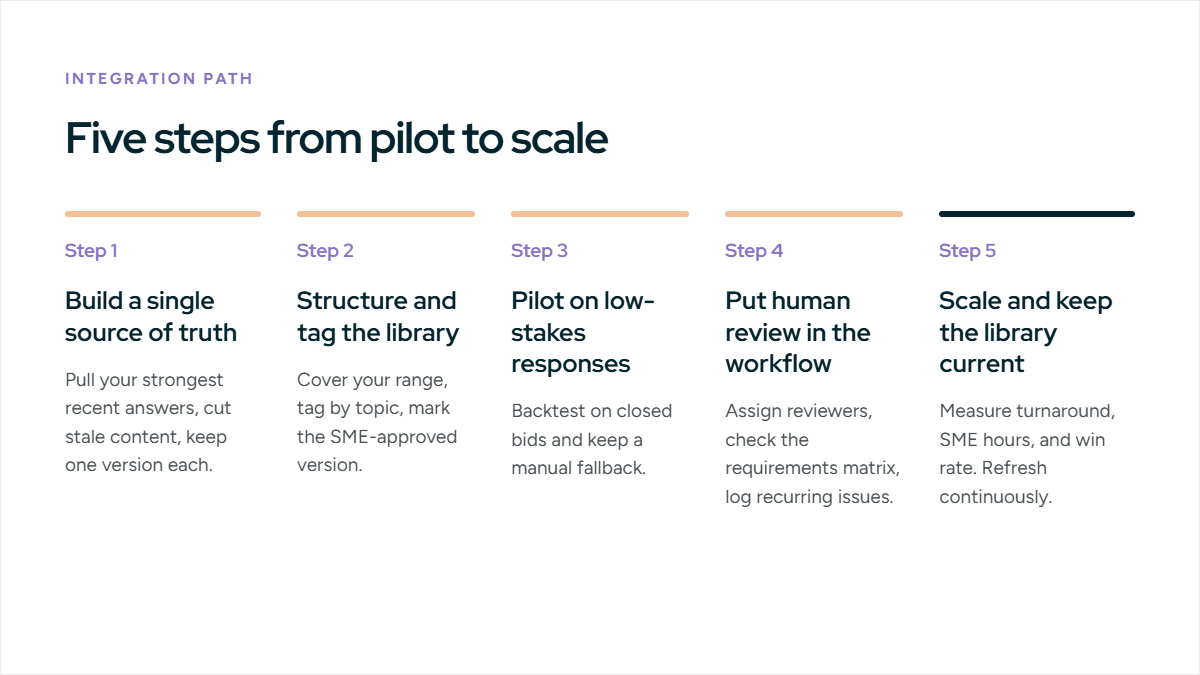
Many teams know AI can help but don’t know where to start. The key is a systematic approach that builds confidence while delivering quick wins.
Step 1: Build a single source of truth for your content
AI drafts are only as good as the content behind them. In most teams, that content is scattered across drives, inboxes, and old proposals, so answers are inconsistent and people rewrite the same thing repeatedly. Consolidate your best material into one curated library:
- Pull your strongest answers — Winning responses from the last two years that reflect your current capabilities.
- Gather current sources — Product specs, case studies, pricing, certifications, approved boilerplate.
- Check every location — Drive, SharePoint, local files, email attachments.
- Cut stale content — Old pricing, retired products, former-employee bios.
- Keep one version per answer — Where duplicates exist, keep the latest.
Modern platforms connect to Drive and SharePoint and keep this library in sync, so it stays current instead of going stale.
Step 2: Structure and tag the library so retrieval works
You don't train the model; you give it an organized library to draw from, and how you structure it decides how accurately it finds the right answer. Curate a starter set of five to ten strong responses across your main industries and service lines:
- Cover your range — Different industries, deal sizes, and service types.
- Tag by topic — Security, pricing, implementation, compliance, so the right answer surfaces for each requirement.
- Mark the approved version — Set the SME-approved answer as the source of truth.
Step 3: Pilot on low-stakes responses first
Don't start on a must-win bid. Prove the workflow on lower-risk opportunities, beginning with retrieval and first drafts for repeatable sections, company background, qualifications, technical capabilities:
- Backtest on closed bids — Run past RFPs where you know the right answers.
- Automate the repeatable, keep humans on the differentiators — AI handles boilerplate; your team writes win themes.
- Keep a manual fallback — Retain the ability to finish by hand while you build confidence.
Step 4: Put human review in the workflow
AI produces the draft; people own what ships. Build review checkpoints for accuracy, completeness, and strategy before anything reaches the client:
- Assign clear reviewers — SMEs verify specs and pricing, marketing owns messaging, the proposal manager checks compliance and timelines.
- Review against the requirements matrix — Confirm every shall-statement and mandatory question is answered.
- Log recurring issues — Feed repeat corrections back into the library so the same fix isn't made twice.
Step 5: Scale and keep the library current
Once the workflow is reliable on standard content, extend it to competitive positioning, tailored summaries, and full first drafts, and keep the content fresh:
- Measure what matters — Turnaround time, SME hours saved, win rate.
- Refresh continuously — Add new winning answers, retire outdated ones.
- Expand as trust grows — Widen the AI's role section by section.
How to choose AI proposal software
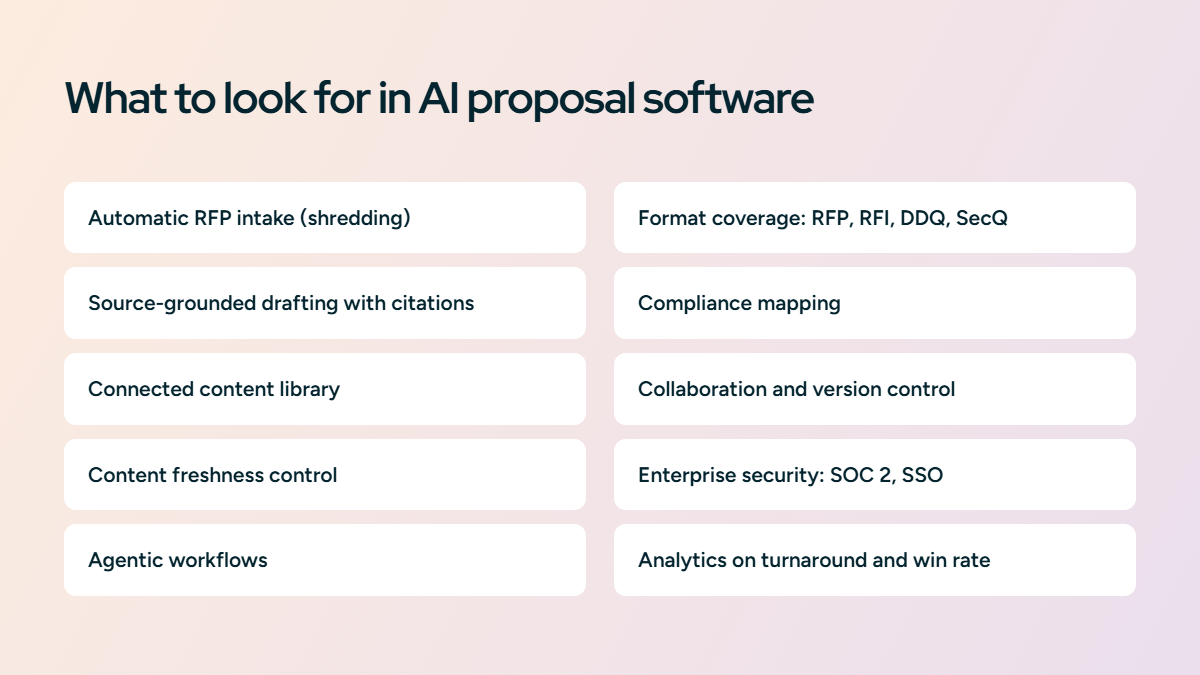
Older tools were content libraries with search bolted on. AI-native RFP platforms work differently. They read the RFP, retrieve from your content, and draft grounded answers end to end. Look for these capabilities:
- Automatic RFP intake (shredding): Ingests the RFP or questionnaire and pulls every question and requirement into a structured worklist, so nothing is missed and setup isn't manual.
- Source-grounded drafting with citations: Generates answers from your approved content and cites the source for each, instead of producing generic text you can't verify.
- Connected content library: Syncs with Google Drive, SharePoint, and past responses to keep one searchable source of truth that updates automatically.
- Content freshness control: Flags outdated pricing, expired certifications, and conflicting answers, so responses reflect current, approved information.
- Agentic workflows: Handles multi-step work like first-pass drafts across a full questionnaire, competitor positioning, and tailored summaries, not just one answer at a time.
- Format coverage: Works across RFPs, RFIs, DDQs, and security questionnaires, including spreadsheet and portal formats.
- Compliance mapping: Checks the draft against the requirements matrix, so mandatory items and must-answer questions are covered before submission.
- Collaboration and control: Version history, task assignment, review workflows, and role-based permissions let multiple contributors work without confusion.
- Enterprise security: SOC 2, encryption, SSO, and access controls keep proprietary content protected.
- Analytics: Tracks turnaround time, win rate, and content usage, so you can see impact and find weak answers.
How Inventive AI helps proposal teams
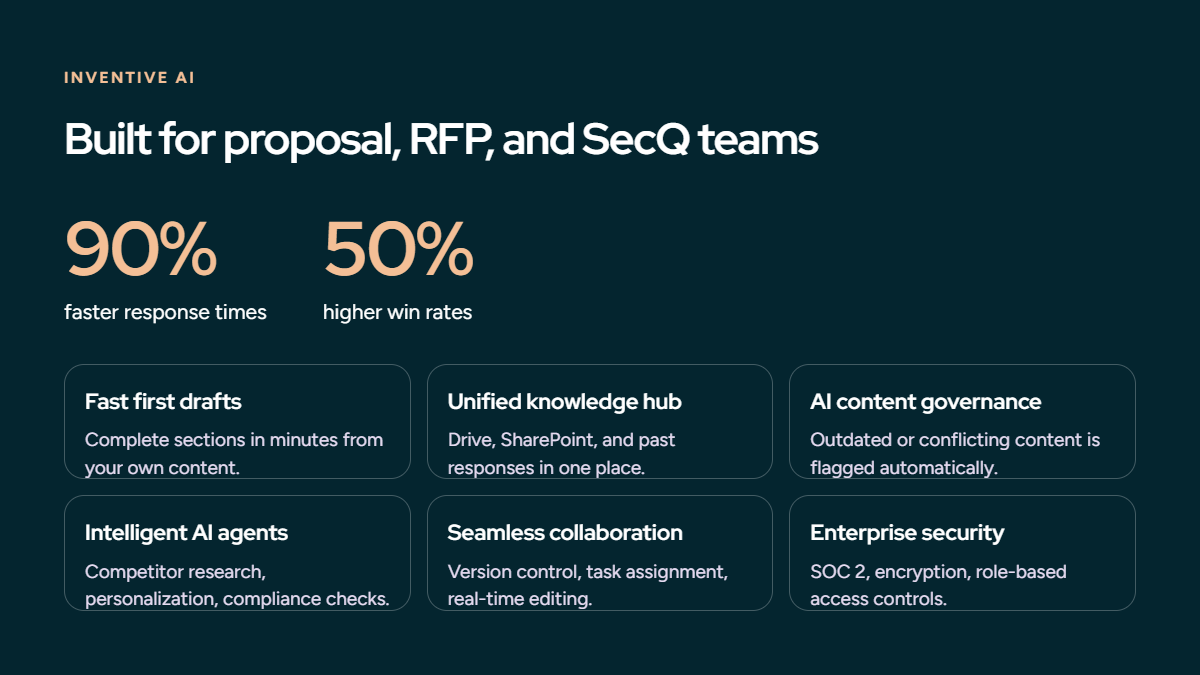
Inventive AI is a purpose-built AI platform for proposal, RFP, RFI, DDQ, and security-questionnaire teams. Based on customer results, Inventive AI reports up to 90% faster response times and up to 50% higher win rates through automated drafting and unified content management. Here’s how it helps:
- Fast first drafts — Generate complete proposal sections in minutes using AI trained on winning responses and your own content libraries.
- Unified knowledge hub — Access all proposal content, past responses, and company information from one platform that integrates with Google Drive, SharePoint, and other systems.
- AI content governance— Automatically flag outdated or conflicting information so responses use fresh, accurate content.
- Intelligent AI agents — Deploy specialized agents for competitor research, personalization, compliance checking, and strategic guidance.
- Seamless collaboration — Version control, task assignment, and real-time editing that streamline review.
- Enterprise security — SOC 2 certification, encryption, and role-based access controls.

.avif)